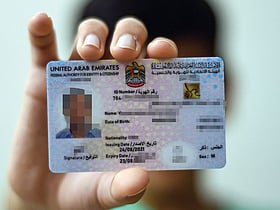
Step 1: Report the incident
As soon as you realise your Emirates ID is lost or stolen, you must report it at the nearest ICP Customer Happiness Centre. This ensures your old card is deactivated and cannot be misused.
Find the nearest centre here: icp.gov.ae/en/customer-happiness-centers
If your card is damaged, take the damaged card with you.
If it is lost or stolen, take a copy of the card. If you do not have a copy, ICP can provide your ID number confirmation or a copy of your lost ID through their system.
Step 2: Prepare the required documents
When filing your report with ICP, you must provide certain documents.
Optional documents (depending on applicant type):
ICP officials may ask for additional documents based on your residency type.
Step 3: Apply for Emirates ID replacement online
You can complete the replacement application entirely on your phone using the UAEICP app.
Download UAEICP from the App Store or Google Play.
Sign in with UAE Pass for faster processing (recommended).
If you don’t have UAE Pass, register using your email address to create an ICP account.
2. Search for the service
3. Fill in the application
The app will guide you through several sections:
User Data: Pre-filled if you use UAE Pass (name, nationality, sponsor number, passport details, etc.).
Identification Information: Confirm details like Unified Number, Emirates ID number, and previous card expiry date. Select the reason for replacement:
Change of passport
Defective card
Lost or stolen
Beneficiary Information: Enter nationality, place of birth (English and Arabic), religion, marital status, qualification, profession, and work type (student, private, free zone, or government).
Signature Option: You can choose to change the signature on your new card. If yes, you must visit an ICP centre after submitting the application.
Passport Details: Add passport number, issue/expiry dates, and issuing authority.
Residence and Contact Details: Provide UAE address, mobile number, and email.
Address Outside UAE (if applicable): Permanent country, address, and mobile number.
Delivery Address: Select whether to collect from a courier office or have it delivered to your home/office.
Step 4: Track your Emirates ID replacement
You can check the status of your application online:
Visit smartservices.icp.gov.ae.
Enter your request number in the Quick Search bar.
The system will show which stage your application is in.
Step 5: Emirates ID delivery
Once your new card is ready:
You will receive an SMS from Emirates Post or Zajel with collection details.
If you opted for home or office delivery, the courier will inform you of the date and time.
Important: The replacement card will carry the same expiry date as the lost or damaged one.
Emirates ID replacement fees
The total cost of replacing an Emirates ID online is Dh451.40, broken down as follows: